
Agent Kit: Seller Disclosure Statement (Form 2)
Everything you need to onboard Sellers and manage disclosures; available in digital and print formats.
You’ve arranged the photography and launched a stellar marketing campaign. You are ready to help your Seller close the deal.
But there is the critical requirement. A Contract of Sale cannot be given to a Buyer unless the Seller has completed and signed the Seller Disclosure Statement (Form 2). If this disclosure is incomplete or incorrect, the Buyer may have rights to terminate the contract or claim compensation.
A dedicated kit for your agency
We have created a dedicated Form 2 Kit for Agents to help you navigate this compulsory step before you issue a contract. We can manage this entire process for your team, ensuring you can list with confidence and move to settlement without administrative delays.
Why download the pack?
By downloading this pack and referring your Sellers to our streamlined process, you secure distinct benefits for your agency and your clients.
Reduced risk
We ensure the Form 2 is prepared in line with new requirements, reducing the risk of termination or delay due to disclosure problems.
Less admin
We handle the complex paperwork, meaning significantly less administrative work for your team.
Transparent pricing
We offer clear and transparent pricing, outlined directly on our website, so your clients know exactly where they stand.
Smooth settlements
Once the contract is in place, we can act for the Seller through to settlement, ensuring a seamless transaction.
Download the Form 2 Kit for Agents
Get the full kit by clicking the button below. The download includes separate folders for Digital and Print distribution, along with step-by-step instructions.
Alternatively, scroll down to preview the files and download individual assets to suit your specific needs.
Click the + to expand and view the contents of each folder.
Digital distribution
PDF File
Seller Disclosure Statement
(Form 2) Info Flyer (Digital)
A one-page flyer you can co-brand and use in your digital materials.
How to use
- Open the PDF
- Add your agency logo
- Save a branded copy for your team to attach to emails and include in digital listing kits
WORD DOCUMENT
Seller Onboarding Email
A pre-written email template designed for digital Seller onboarding.
How to use
- Customise the Word doc with your agency name and details
- Review and complete the checklist steps inside the file
- Copy the subject line and body text to your email.
- Attach your co-branded flyer and include the link: https://forms.gplaw.com.au/seller-disclosure
- Send the email to each new Seller as part of your onboarding process
GRAPHIC
QR Codes
QR codes ready to insert into your marketing materials, listing presentations, and pre-listing documents.


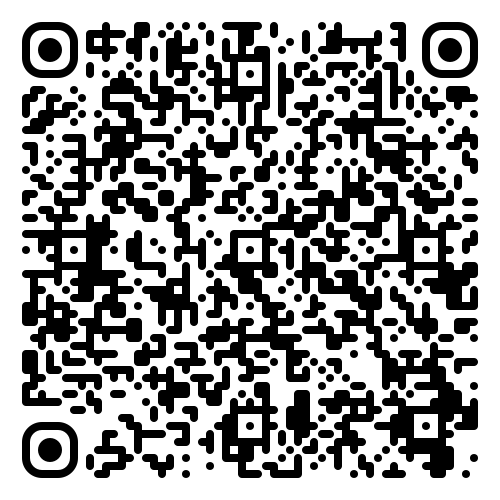
How to use
- Insert the PNG, SVG, or JPEG file into your document, webpage or artwork file
- (Optional) Add a hyperlink to the image: https://forms.gplaw.com.au/seller-disclosure
About file types:
- JPEG: Black QR code against white background
- PNG: Black QR code against transparent background (for use on light coloured backgrounds)
- SVG: Editable graphic to change colour of QR code or background
Print distribution
PDF File
Seller Disclosure Statement
(Form 2) Info Flyer (Print)
A one-page flyer you can print to leave at your reception area and hand out during open homes or appraisals.
How to use
- Open the PDF
- Add your agency logo
- Save the updated file by changing YOUR AGENCY within the file name
- Proceed to print at Officeworks (recommended) or in-house
Same-day printing at Officeworks:
- Go to Officeworks’ Flyers page
- Choose your preferred Pack Size
- Select A5 (148 x 210mm) as the Finished Size
- Click Create
- Click Upload your design and select your customised PDF
Note: The Print distribution folder within the full kit contains a URL shortcut to Officeworks’ Flyers page.
PDF File
Seller Disclosure Statement
(Form 2) Info Flyer (Digital)
A one-page flyer you can co-brand and use in your digital materials.
How to use:
- Open the PDF
- Add your agency logo
- Save a branded copy for your team to attach to emails and include in digital listing kits
WORD DOCUMENT
Seller Onboarding Email
A pre-written email template designed for digital Seller onboarding.
How to use:
Customise the Word doc with your agency name and details
Review and complete the checklist steps inside the file
Copy the subject line and body text to your email.
Attach your co-branded flyer and include the link: https://forms.gplaw.com.au/seller-disclosure
- Send the email to each new Seller as part of your onboarding process
GRAPHIC
QR Codes
QR codes ready to insert into your marketing materials, listing presentations, and pre-listing documents.
How to use:
- Insert the PNG, SVG, or JPEG file into your document, webpage or artwork file
- (Optional) Add a hyperlink to the image: https://forms.gplaw.com.au/seller-disclosure
About file types:
- JPEG: Black QR code against white background
- PNG: Black QR code against transparent background (for use on light coloured backgrounds)
- SVG: Editable graphic to change colour of QR code or background
Digital distribution
for email and online onboarding
Print distribution
for physical hand-outs